
Hilton Hotels Booking Cashback Guide
Hilton Hotels
Add our IATA code when booking on the Hilton Hotels official site and get 5–7% cashback on the room rate after checkout. Status and points are unaffected.
Booking steps
Hilton Hotels includes Waldorf Astoria, Conrad, Hilton, Hilton Garden Inn and more. This guide is for desktop access to the Hilton website (www.hilton.com).
- 1
Choose booking entry
Click "Book on Website" to jump directly, or click "Manual Access Guide" to follow the screenshots.
- 2
Search hotels and enable the Travel Agents rate
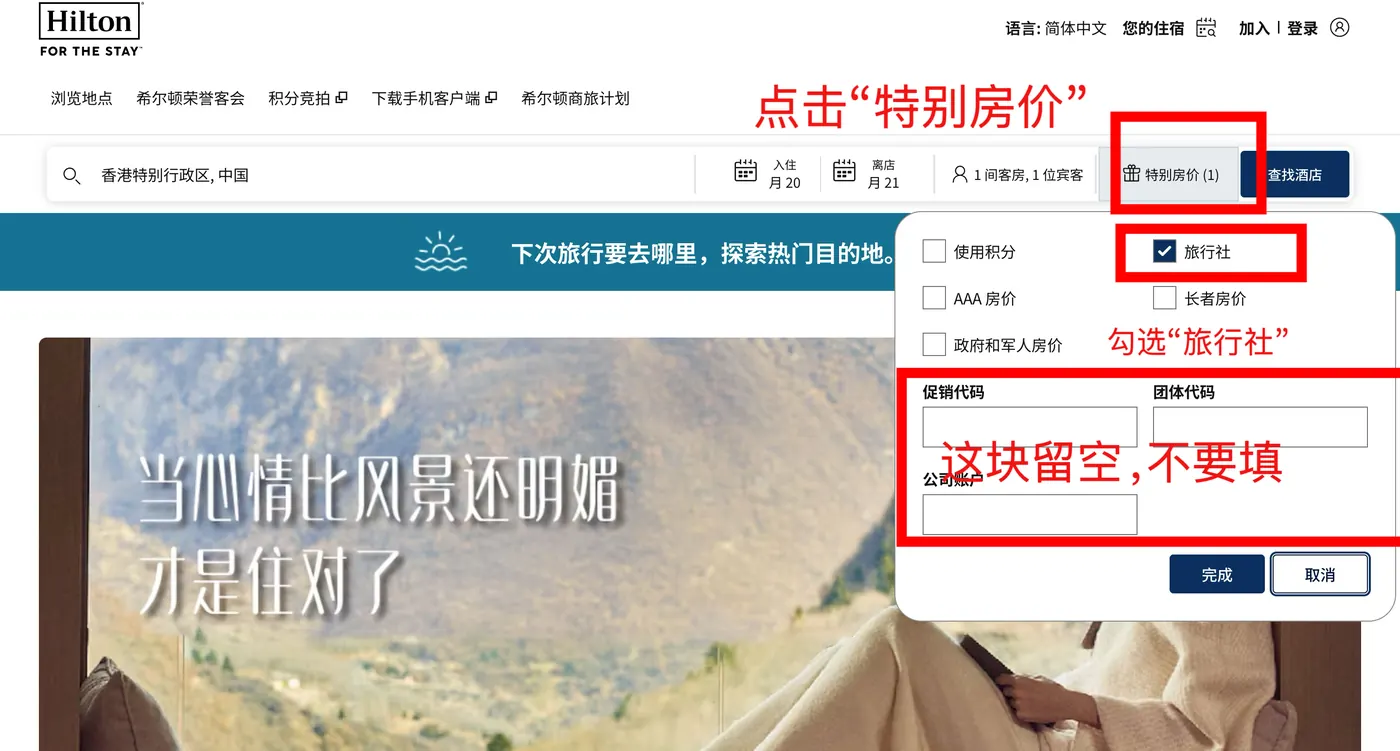
Open www.hilton.com, click the "Special Rates" button in the top search bar, and tick the "Travel Agents" checkbox in the popover. Leave the three input fields below (Promo Code / Group Code / Corporate Account) completely EMPTY — do not type anything. Then enter destination and dates, click Find Hotels, pick your target hotel, and click "More rates available" to expand the rate list.
- Mainland China Hilton properties are not covered by this guide — please use our upcoming mini-program
- 3
Open Rate Details and confirm the GREEN "Commissionable" label
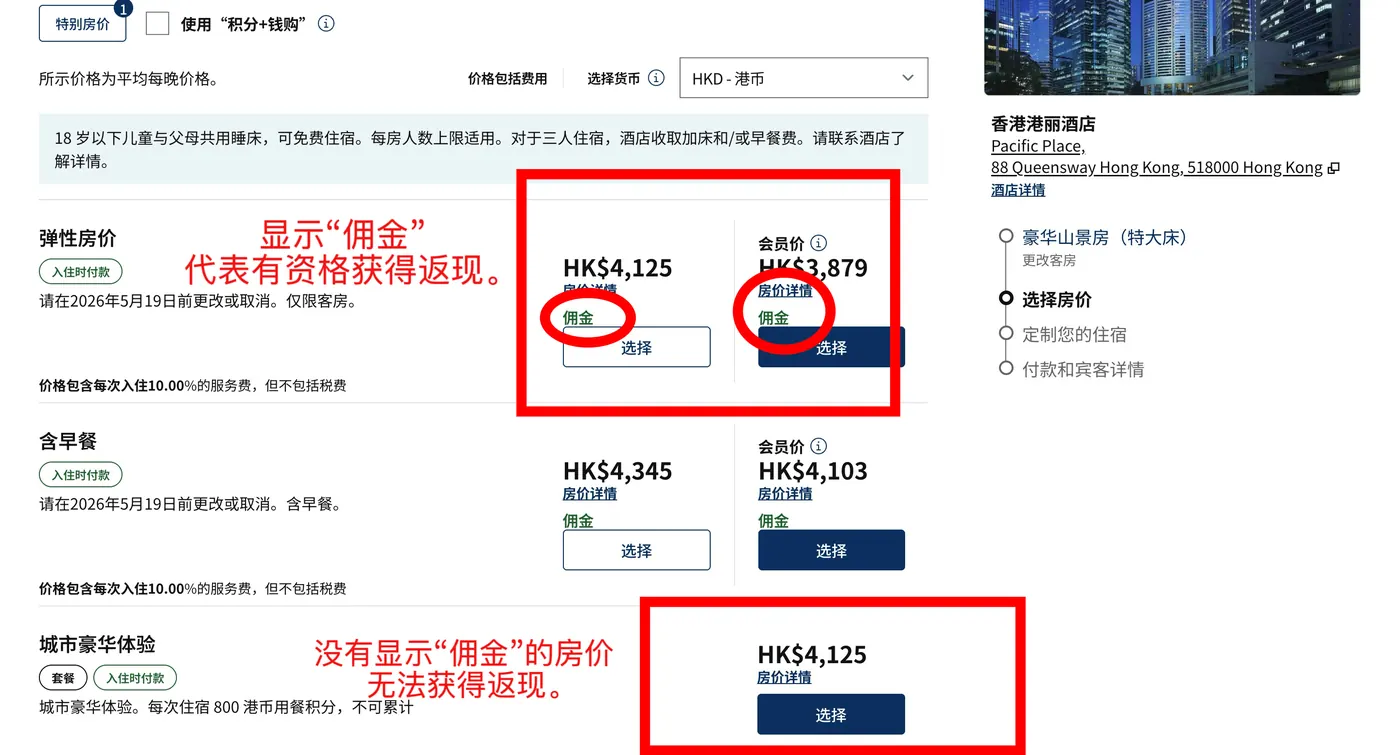
Click "Rate Details" on each rate to expand the breakdown. Rates that show a GREEN "Commissionable" label below the price are eligible for rebate. Rates without the green "Commissionable" label (e.g. "City Luxe Experience" or other packages) are NOT eligible — avoid them.
- Look for the GREEN "Commissionable" text directly below the price
- Flexible rates, Member rates and Breakfast-included rates usually carry the green Commissionable label
- Package rates and local-experience rates usually have no green Commissionable label — pick a different rate
- 4
Fill in booking details as usual
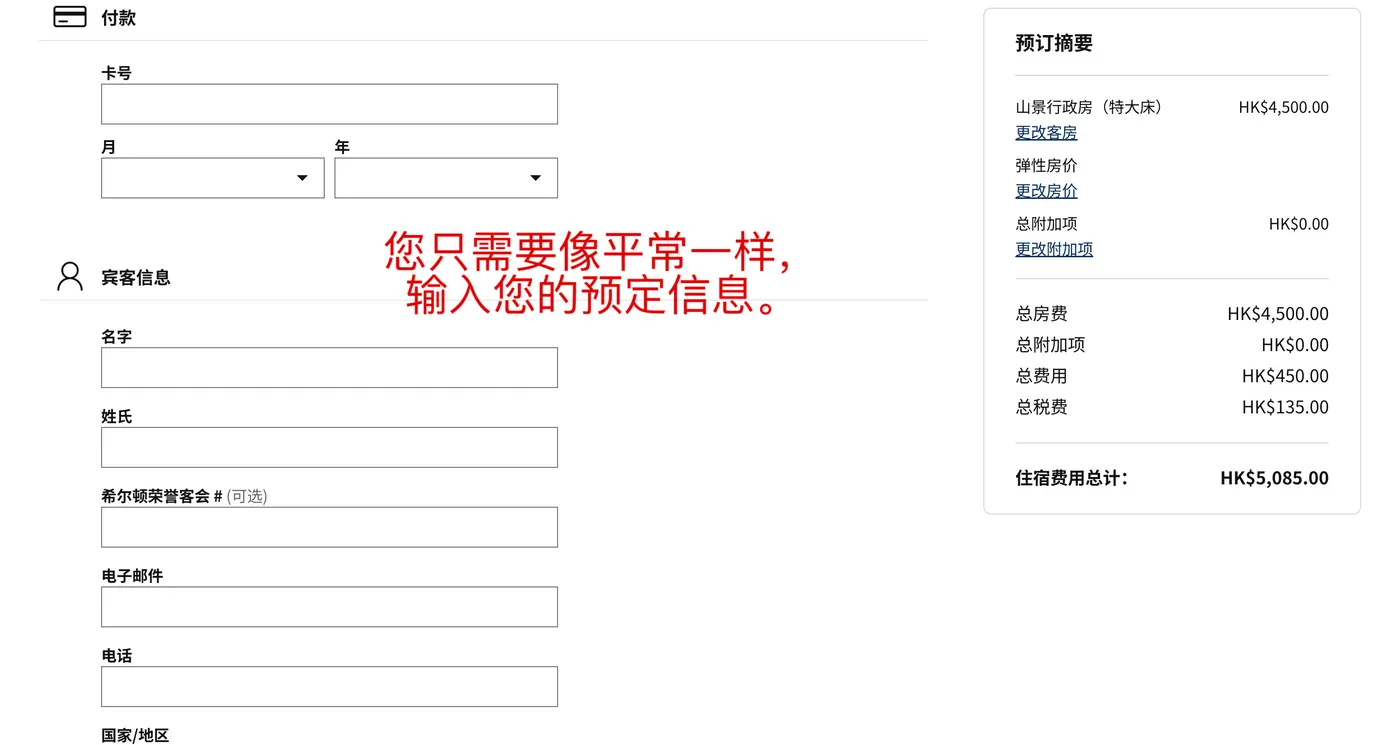
Once you pick a rate and arrive at the final confirmation page, fill in payment (card number / month / year) and guest details (first / last name / email / phone / country) as you normally would. The Hilton Honors number is optional.
- Use your real name and a reachable email so the hotel can contact you
- Do NOT enter any agent / IATA info on this page — IATA goes in the "Travel Agent Information" section near the bottom of the same confirmation page
- 5
Enter the IATA number in the Travel Agent Information section at the bottom of the confirmation page
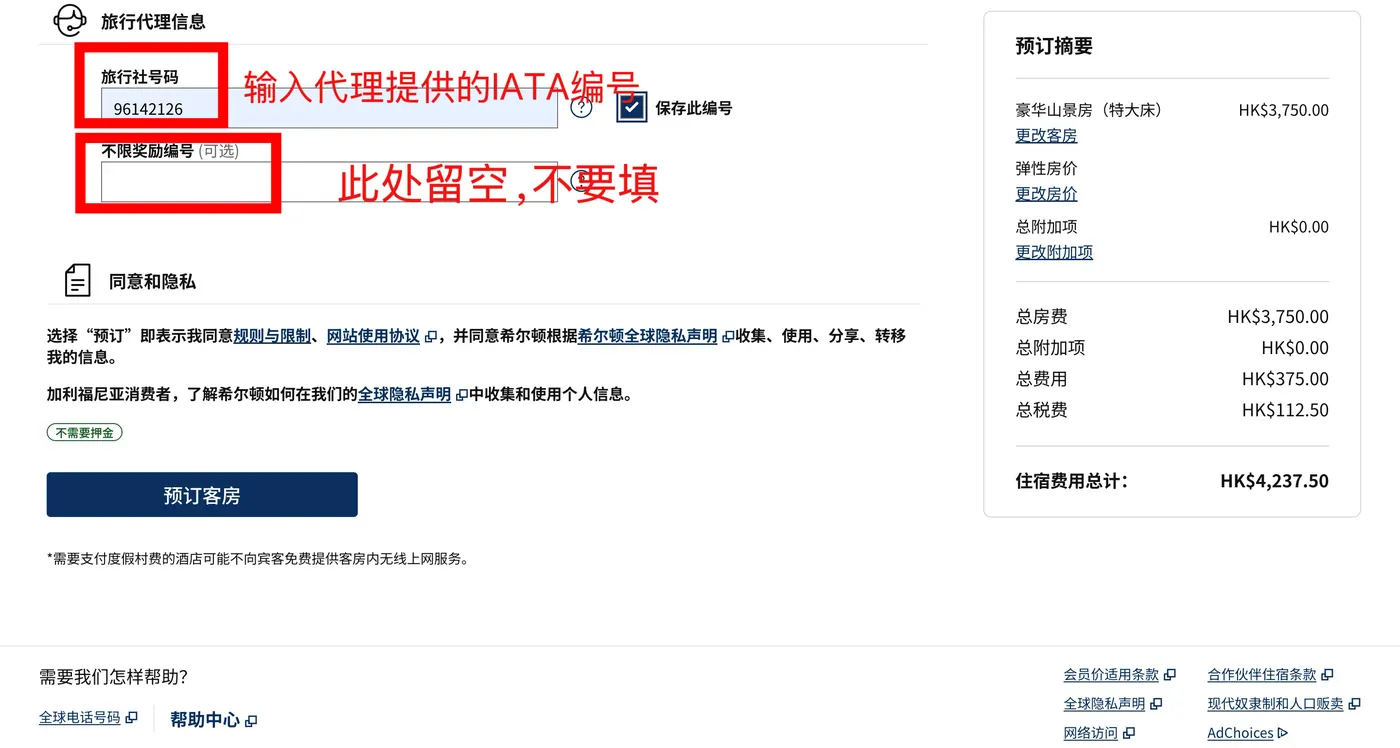
On the final confirmation page, scroll to the bottom to find "Travel Agent Information". Enter our IATA number [the IATA code shown on this site] into the "Travel Agent Number" field, and tick "Save this number" if you want it remembered. Leave the "Unlimited Reward Number (optional)" field below COMPLETELY EMPTY. Then click "Book Reservation" to complete the booking.
- IATA number is an 8-digit code: the IATA code shown on this site
- The "Unlimited Reward Number" field MUST stay empty — filling it breaks rebate tracking
- Keep the confirmation email as proof for your rebate claim
Get started with RebateTrail
Sign up to submit a cashback claim, or go back to the home page for the step-by-step interactive guide.